
AuraPass
Your wallet. Every card. One place.
AuraPass is a personal iOS app concept that lets users digitise every card they carry — visiting cards, company IDs, debit, credit, loyalty, and more — and store them directly in Apple Wallet. Clean, secure, and done in three steps.

Problem: Wallets are full. Phones should fix that.
Most people carry 8–12 cards daily. Physical cards get lost, fade, or stay forgotten at home. Digital alternatives either require complex setup or don't integrate with the native wallet experience people already use. AuraPass fills that gap — a single app to digitise, organise, and carry every card natively in Apple Wallet.
Key findings
Solution: Scan front. Scan back. Done.
AuraPass simplifies card digitization into a three-step flow — photograph the front, photograph the back, preview and save to Apple Wallet. The entire experience is designed to feel native to iOS, with zero friction and full privacy.
User Flow
Sign in
Email or Apple ID — no password required
Photograph front
Capture the face of your card
Photograph back
Flip and capture the reverse side
Preview and customise
Fill pass details, choose card colours
Save to Apple Wallet
One tap — card lives on your lock screen

Login that respects the platform
Two options only — Email and Sign in with Apple. No forms, no passwords, no friction. The login screen carries the AuraPass brand with a bold wordmark and a neon-accented card visual that sets the tone immediately.

Card-first home screen
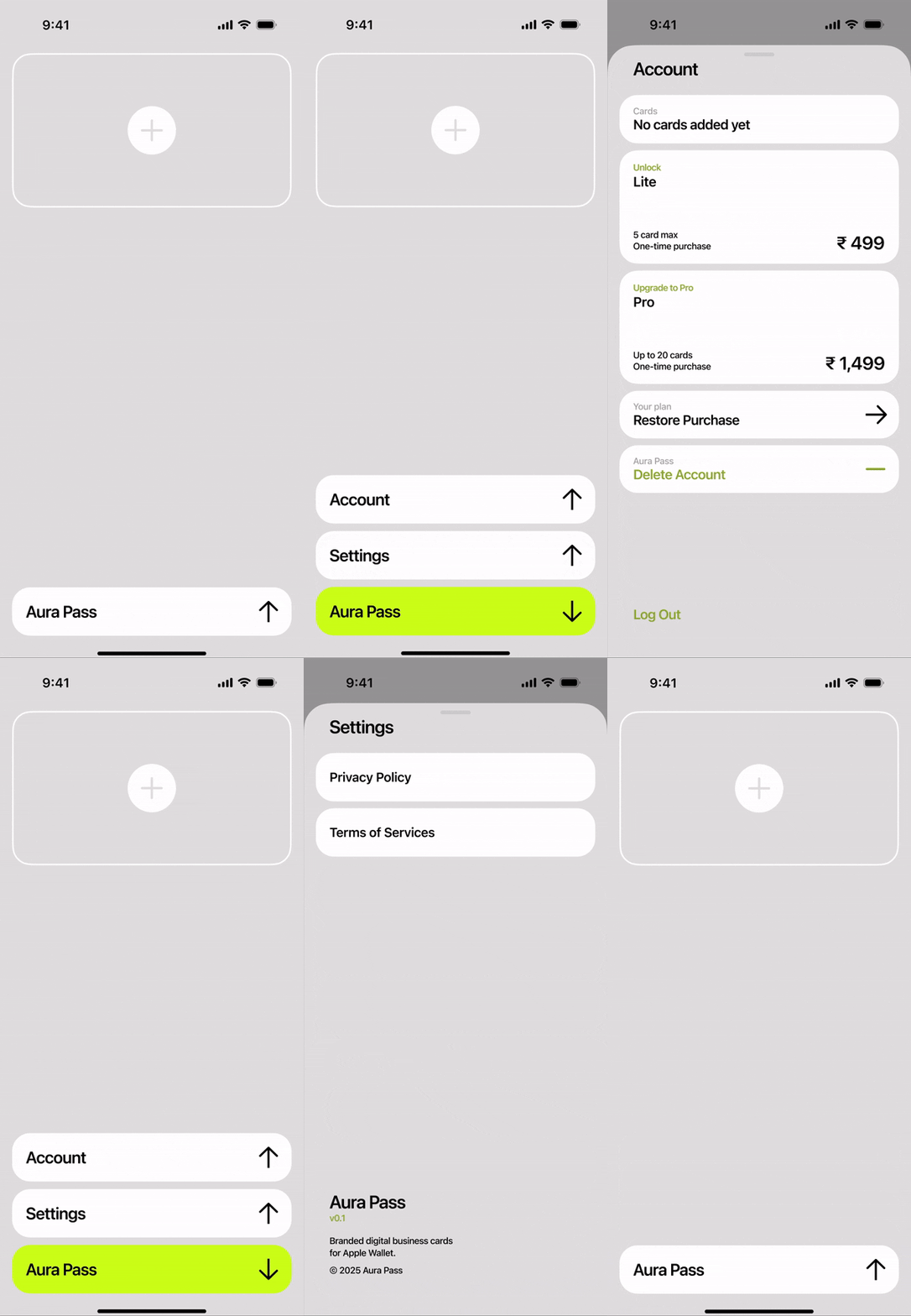
The home screen opens directly to an add-card prompt. No onboarding carousels, no empty state filter. Users understand the app in one glance and act immediately.

Step-by-step scan flow
A clear progress indicator (1 of 3, 2 of 3, 3 of 3) guides users through front capture, back capture, and card preview — with the option to retake at each step. No guesswork.

Pass customisation built in
Step 3 lets users fill pass details and choose card colours before saving — so every card in Wallet feels intentional, not just a photo dump.
Future Opportunities
 NFC tap-to-share for visiting cards
 QR code generation per card
 Card expiry reminders
 Android + Google Wallet support
 Team / company card management
 iCloud sync across devices
Every card you own. Always on you.
AuraPass turns a physical friction point into a 10-second digital action. By integrating directly with Apple Wallet, it lives exactly where users already look — no new hardware required.
